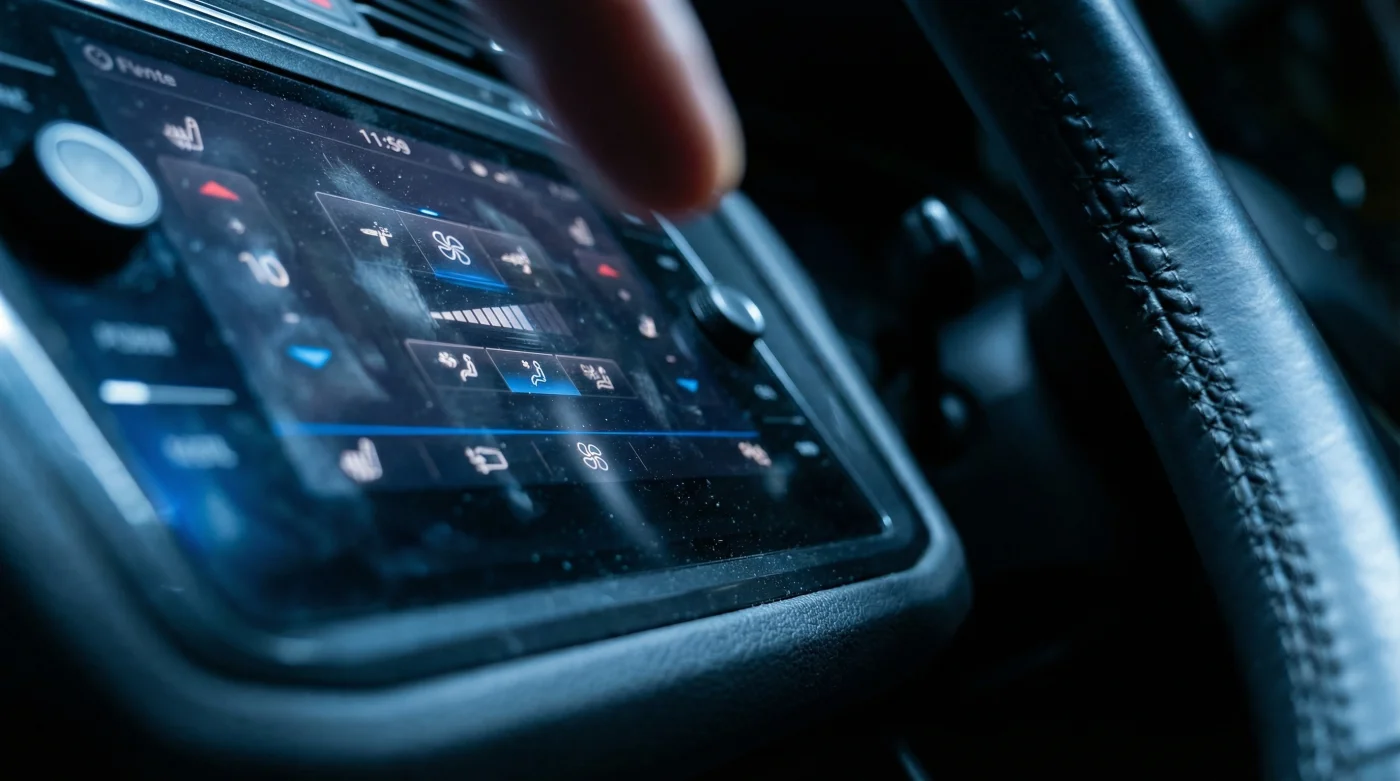
Picture a crisp morning when the frost clings to the glass like stubborn sugar. You settle into the driver’s seat of your vehicle, breath visibly pluming in the icy cabin air, bracing for that initial chill. The engine catches with a low hum, and your right hand instinctively reaches for the familiar, tactile click of the defrost dial. You expect the immediate, physical confirmation that warm air is on its way to clear your view of the road.
But instead of reassuring plastic, your fingers meet a smooth expanse of black glass. You are staring at a glowing monolith that dominates the entire dashboard. The cabin feels strikingly empty, stripped of the reliable dials and heavy levers that used to commit your muscle memory to the simple act of staying warm. There is no click, no resistance, and no immediate satisfaction.
Reviewers across the automotive space are praising this sweeping digital real estate as a sleek, futuristic upgrade. They frame it as a sign that the everyday crossover has finally caught up to the aesthetics of Silicon Valley, prioritizing clean lines over cluttered consoles. To the untrained eye standing in a brightly lit showroom, the uninterrupted piano-black surfaces look undeniably sophisticated and modern.
However, when the ice starts forming on the edge of your vision at 65 miles per hour, swiping through menus ceases to be an innovation. It becomes a dangerous distraction, turning a split-second physical adjustment into a multi-step digital chore that demands your eyes leave the road. They buried the physical defrost buttons beneath three complex digital sub-menus, turning a basic safety function into a test of patience.
The Glass Illusion
We have been sold a very specific vision of modernity, one where progress is measured strictly in diagonal inches and pixel density. The central screen has slowly swallowed the entire dashboard, digesting the physical controls and spitting them out as flattened, hidden icons. This design philosophy assumes that every interaction in a vehicle can be treated like a smartphone application, completely ignoring the physical reality of driving in the freezing cold.
Finding the maximum defrost setting in the updated Volkswagen Tiguan feels a bit like breathing through a pillow. What should be an instant, satisfying rush of air requires you to tap a climate menu, wait for the graphic animation to clear, locate the specific windshield icon, and tap again. Doing this with bare hands in a stationary vehicle is mildly annoying; doing it with frozen fingers while merging onto a busy pavement-lined highway is genuinely stressful.
The shift here isn’t just about forcing you to learn a shiny new interface. It is about recognizing the fundamental difference between a static lounge and a moving machine. A capacitive digital slider works brilliantly when you are sitting perfectly still on a sofa, but a vehicle bouncing over winter potholes demands the undeniable certainty of a hard button.
Marcus Thorne, a 42-year-old independent auto electrician in Edmonton, spends his winters diagnosing the quiet frustrations of modern vehicle owners. “People come into the shop absolutely convinced their heater is broken,” he explains while wiping grease from a diagnostic tablet. “The hardware is completely fine. The heat is there, trembling behind the firewall, but the driver is locked out. Their hands are too cold for the screen to register a touch. We used to build cars around the driver’s hands; now we expect the driver to accommodate the software.”
Navigating the Digital Cold
Adapting to this sweeping flat-screen layout means fundamentally rethinking how you interact with your daily environment. You cannot fight the glass once you are in motion, so you have to outsmart the software before you ever shift into drive. By accepting the limitations of the touchscreen, you can begin to build a personalized strategy that keeps you warm without compromising your attention on the road.
For the early riser dealing with morning frost, the immediate priority is survival against the biting chill. The trick is not waiting to negotiate with the glowing screen once you are strapped into the driver’s seat. It relies entirely on mastering the remote start and pre-conditioning profiles via the mobile app, forcing the climate system to bypass the internal menus before you even open the door.
- Used Chevrolet Silverado bedliners conceal catastrophic structural frame rail rust.
- Automatic transmission flushes actually push metallic debris into sensitive solenoids.
- Muscle car base V6 variants retain higher structural integrity over time.
- General Motors dealership invoice documents reveal staggering unadvertised markup padding.
- Tesla Model S refresh models quietly removed durable steering column mounts.
Surviving the modern digital dashboard requires treating your climate settings like an aircraft pre-flight checklist. You must set the parameters and verify the systems long before the wheels begin to roll. Establish a baseline profile that aggressively manages the air without requiring a single input from your cold fingers.
Bypassing the Glass
Here is how you override the menu fatigue and set up your system for minimal interaction:
- Pin the climate widget to the home screen permanently to save at least one menu swipe.
- Activate the “Auto” function and set the internal target to exactly 21 degrees Celsius, letting the computer handle fan speed.
- Configure the steering wheel heater to automatically sync with the driver’s seat activation upon startup.
- Map the maximum defrost function to a specific voice command if your trim level permits hands-free control.
The tactical toolkit relies on establishing a strict routine before you drive. Give the infotainment system a thirty second boot allowance before tapping the glass, as a cold processor will stutter and ignore your inputs. Keep a pair of screen-friendly gloves with conductive threading in the centre console, and trust the automatic sensors to do the heavy lifting once the engine warms up.
Reclaiming the Cockpit
There is a strange, satisfying quiet that settles over you when you stop fighting the machine and learn to work within its strict new boundaries. The glowing panel in the centre console is not going anywhere; the automotive industry has made its choice regarding interior design. We are living in the era of the screen, and the dials of the past are slowly fading into automotive history.
Yet, by taking deliberate control of the software before you drive, you strip the danger away from the digital sub-menus. You restore your own focus, leaving the capacitive sliders safely ignored while you watch the pavement ahead. The screen becomes just another background element rather than a constant, demanding source of frustration.
Mastering these hidden controls isn’t just about staying warm on a brisk Canadian morning. It is about demanding safety on your own terms, ensuring that a piece of futuristic aesthetics never dictates how you respond to shifting weather conditions. It is a quiet rebellion against the menu system, proving that human foresight can always outsmart poor user interface design.
By understanding the quirks of the machine, you guarantee that a sleek aesthetic choice never compromises the simple grounding reality of a clear view. You get to enjoy the warmth of the cabin, the quiet hum of the engine, and the absolute certainty that you are fully in command of your environment.
“A screen might look like tomorrow, but a physical dial will always save you today.”
| Key Point | Detail | Added Value for the Reader |
|---|---|---|
| Screen Boot Time | Takes 20 to 30 seconds to load climate menus upon startup. | Prevents frustration by teaching you to wait before tapping the glass. |
| Haptic Feedback | Lack of a physical click on the digital sliders. | Forces reliance on automated sensors rather than risky manual adjustments. |
| Voice Control | Bypasses the three digital sub-menus entirely. | Keeps your hands firmly on the wheel and eyes on the pavement. |
Frequently Asked Questions
Why did they remove the physical climate buttons?
Automakers prioritize sleek, minimalist interiors to mimic consumer electronics, often prioritizing aesthetics over tactile functionality.Can I add aftermarket dials to the new Tiguan?
Unfortunately, the climate system is deeply integrated into the main software hub, making physical aftermarket additions impossible.Does the screen work with thick winter gloves?
Standard wool or leather will not register on the capacitive glass; you must use gloves with specific conductive threading.How do I defrost the windshield if the screen freezes?
Pull over immediately and use the vehicle’s voice command system, or restart the car to reboot the central infotainment computer.Is this interface considered a safety defect?
While heavily criticized by safety agencies for causing distraction, it currently meets legal road standards as an operational interface.